NextJS App router local font 적용하는 방법
3 minute read
2024-07-18
Pretendard font 준비
.
└── public
└── fonts
└── PretendardVariable.woff2다운로드된 압축을 풀고 web/variable/woff2/PretendardVariable.woff2 파일을 위 위치에 놓아준다.
local font
import localFont from 'next/font/local';
export const Pretendard = localFont({
src: '../../public/fonts/PretendardVariable.woff2',
display: 'swap',
variable: '--font-pretendard',
});variable 은 하나의 약속이다.
Pretendard.variable // 임의의 문자열이는 빌드 타입에서 NextJS 가 자체적으로 생성한 임의의 문자열이다. 역할은 css 변수 를 추가하는 역할을 한다.
export default function RootLayout() {
<html lang="ko">
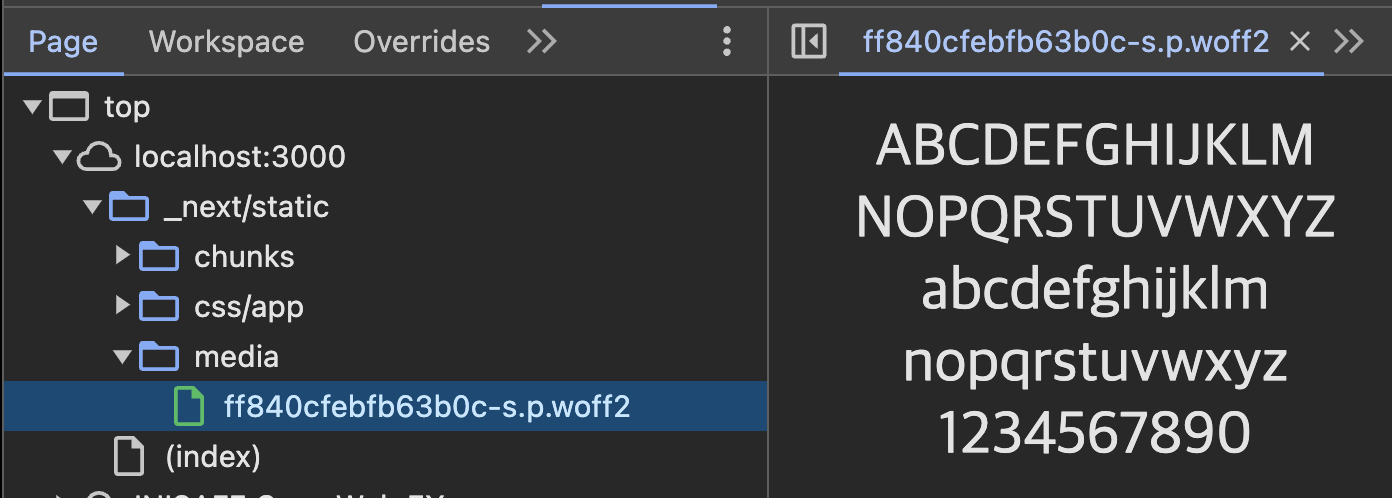
{/* NOTE: 여기에 추가해줘야 _next/static/media/___.woff2 가 생김 */}
<body className={clsx(Pretendard.variable)}>
}
클래스를 추가하는 이유는 아까 말했듯이 css 변수를 추가하는 것이다.

이건 NextJS 가 만들어내고 Pretendard.variable 에 바인딩한 값이다. 개발자 도구로 확인하면 css 변수가 추가된 걸 확인할 수 있다.

그럼 이 변수를 이용해서 font-family 에 지정해줘야 한다. 나는 GlobalStyle 을 사용하기 때문에 그 하위에 아래 스타일 코드를 추가하면 된다는 뜻이다.
export const GlobalStyle = createGlobalStyle`
${normalize};
body {
font-family: var(--font-pretendard);
}
`;--font-pretendard 변수는 body 에 넣은 클래스 때문에 접근 가능해진다.
NextJS 에서 styled-component SSR 로 적용하기
공식문서 참고
localFont 를 사용하기 위해 조금 코드를 수정해야한다.
export default function RootLayout({
children,
}: Readonly<{
children: React.ReactNode;
}>) {
return (
<html lang="ko">
{/* <body> */}
{/* NOTE: 여기에 추가해줘야 _next/static/media/___.woff2 가 생김 */}
<body className={clsx(Pretendard.variable)}>
<StyledComponentsRegistry>{children}</StyledComponentsRegistry>
</body>
</html>
);
}
꼭 글로벌 스타일 추가해줘야 한다.
'use client';
export default function StyledComponentsRegistry({
children,
}: {
children: React.ReactNode;
}) {
return (
<StyleSheetManager sheet={styledComponentsStyleSheet.instance}>
{children}
<GlobalStyle />
</StyleSheetManager>
);
}